Online reviews have become one of the strongest trust signals for modern consumers. For local businesses especially, the difference between a place with 15 reviews and one with 300 reviews is not subtle—it directly affects foot traffic, conversions, and local search visibility. A Google Review QR code is one of the simplest bridges between offline customers and online reputation, when done correctly.
What makes QR codes particularly powerful is that they operate at the exact intersection of convenience and intent. When customers are already satisfied, reducing effort is often the deciding factor between “thinking about leaving a review” and actually doing it.
What Is a Google Review QR Code?
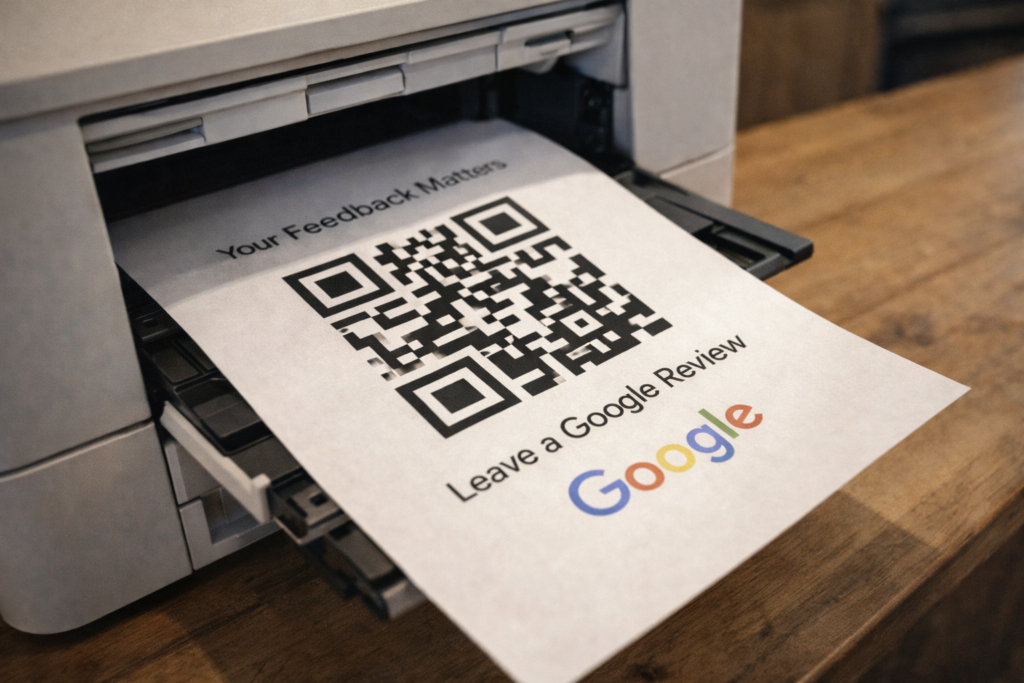
A Google Review QR code is a scannable code that takes customers directly to your Google review form. When scanned with a smartphone camera, it opens your business’s review interface, allowing the customer to leave a rating and written feedback in seconds.
Unlike a normal QR code that might lead to a homepage, menu, or PDF, a Google Review QR code is purpose-built for one action only: leaving a review. This focus dramatically increases completion rates because the customer is not distracted by secondary choices or navigation steps.
From a customer-experience perspective, these QR codes remove uncertainty. Customers no longer need to search your business name, guess which listing is correct, or navigate Google Maps manually. One scan, one action, and the review process feels almost effortless.
Why Businesses Use Google Review QR Codes
Businesses adopt Google Review QR codes primarily because they work. They turn passive satisfaction into active social proof without requiring follow-up emails or reminders.
First, they significantly increase review volume. Customers who are already on-site and satisfied are far more likely to leave feedback if the process is immediate and visible. The psychological gap between experience and action is minimized.
Second, they are ideal for physical locations. Restaurants place them on tables, retail stores on counters, clinics at reception desks, and service businesses on invoices or takeaway cards. Anywhere a transaction concludes is a potential review moment.
Third, reviews act as strong local SEO signals. While the QR code itself does not directly improve rankings, the resulting increase in review count, freshness, and sentiment does. Over time, this creates a compounding visibility advantage in local search results.
What You Need Before Creating a Google Review QR Code
Before generating a QR code, a few prerequisites must be in place. Skipping these steps often leads to broken links or wasted customer intent.
You need an active Google Business Profile. Your business must be claimed and verified. Unverified listings cannot reliably collect reviews and may restrict access to review functionality.
Verification status matters because Google limits trust signals for incomplete profiles. If your business information is inconsistent or unverified, customers may encounter errors or be unable to submit feedback.
Most importantly, you need the correct review link. This is not your Google Maps URL, not a search result URL, and not your homepage. It is a specific link that opens the “Write a review” modal directly, reducing friction to the absolute minimum.
Please also see: https://reviewance.com/make-your-google-review-card-easily-only-3-minutes/
How to Get Your Google Review Link (Exact Steps)
Inside your Google Business Profile dashboard, there is a dedicated “Ask for reviews” or “Get more reviews” option. This generates your unique review link that is tied directly to your listing.
On desktop, this option is usually visible on the main dashboard screen. On mobile, the interface is slightly different, but the review link can still be accessed through profile management settings.
A common mistake is copying the general Google Maps link instead of the review link. That forces users to search for the review button themselves and often results in abandoned attempts.
Another frequent error is using shortened or redirected URLs that break over time. Always test the link yourself on multiple devices before moving on to QR code creation.
How to Create a QR Code for Google Reviews (Step-by-Step)
Once you have the correct review link, the process is straightforward. At this stage, precision matters more than speed.
Paste the link into a QR code generator. The tool converts that URL into a scannable code image that can be downloaded and printed.
The fastest methods require no technical knowledge. You do not need design skills, hosting, or development work. A basic static QR code is sufficient for many small businesses starting out.
However, speed should not come at the cost of reliability. Always scan the generated QR code multiple times, from different devices and lighting conditions, before printing or distributing it.
Please also see: https://reviewance.com/google-review-cards-types-differences-and-how-to-choose-the-best-one/
Google Review QR Code Generator: What to Look For
Not all QR code generators are equal, and choosing the wrong one can limit scalability later.
Free tools are sufficient for basic needs, but they often lack analytics, customization, or long-term stability. Paid tools usually offer branding options, higher resolution exports, and better reliability.
Customization matters more than many businesses expect. A QR code that includes your logo, brand colors, and proper contrast is scanned more often than a generic black-and-white square.
You should also understand the difference between static and dynamic QR codes. Static codes are fixed forever, while dynamic codes allow you to update the destination link and track scan performance without reprinting materials.
Best Practices for Using Google Review QR Codes
Placement is critical. The QR code must be visible at the exact moment of peak satisfaction—after a good meal, successful service, or positive interaction.
Avoid placing QR codes where customers are rushed or distracted. The calmer and more relaxed the moment, the higher the conversion rate.
Equally important is the call to action. Clear language such as “Leave a Google review” or “Your feedback matters” consistently outperforms vague or passive messaging.
Tone also matters. Customers should never feel pressured. A polite, appreciative request creates more authentic reviews and reduces the risk of negative or forced feedback.
Common Mistakes When Creating a Google Review QR Code
One of the most damaging mistakes is linking to the wrong URL. Even a small mislink can completely break the review flow and frustrate customers.
Another frequent issue is print quality. QR codes that are too small, low-contrast, or printed on reflective surfaces often fail to scan reliably.
Finally, many businesses fail to maintain their codes. Old menus, flyers, or stickers may still circulate long after links or branding have changed. Periodic testing should be part of regular operations.
Can You Track Google Review QR Code Performance?
Yes, but only if you use the right tools from the beginning. Tracking is often overlooked but extremely valuable.
Basic static QR codes provide no data at all. Dynamic QR codes, on the other hand, can show how many times the code was scanned, when scans occurred, and sometimes device-level insights.
Tracking matters because it turns reviews into a measurable growth channel. You can identify which locations, materials, or customer touchpoints generate the most engagement and double down on what works.
Google Review QR Codes and Local SEO
Reviews influence local rankings in several indirect but powerful ways. Quantity signals popularity, freshness signals ongoing activity, and sentiment signals quality.
QR codes contribute by improving consistency. When reviews arrive steadily instead of in unnatural bursts, your profile appears more trustworthy to both users and search algorithms.
Local SEO rewards sustainable behavior. QR codes help operationalize review generation without shortcuts or policy risks, aligning perfectly with long-term growth strategies.
Buying Google Reviews: Pros and Cons (and Why It’s Risky)
Some businesses consider buying Google reviews to accelerate growth, especially in competitive markets. The perceived advantages are speed and immediate social proof.
However, the risks are substantial. Purchased reviews violate platform policies, are increasingly detectable, and may lead to review removal, listing suspension, or permanent reputation damage.
Even when penalties do not occur immediately, fake reviews often lack credibility. Real customers can usually sense inauthentic language, which can reduce trust instead of building it.
A Better Alternative: Turning Real Customers into Real Reviews with Reviewance
Instead of buying reviews, a more effective approach is systematic review generation. This focuses on volume, authenticity, and sustainability.With Reviewance, businesses can create branded Google Review QR codes, manage placements, and track performance with minimal effort. The emphasis is on removing friction for real customers, not manipulating outcomes.
This approach compounds over time. Genuine reviews remain visible, influence rankings, and build long-term trust. Compared to one-off purchased reviews, the cost is lower, the risk is near zero, and the results are far more durable.
FAQ: Google Review QR Codes
Is a Google Review QR code free?
Yes, you can create a Google Review QR code for free using basic generators. However, advanced features like scan tracking, branding, and link updates typically require paid tools like Reviewance
Can the same QR code be used by everyone?
Yes. A single QR code can be scanned by unlimited customers, as long as it points to your review link. There is no usage limit imposed by Google.
Do I need to change my QR code over time?
Not necessarily. Static QR codes can be used indefinitely. However, if you want analytics or the ability to change links later, a dynamic QR code is recommended.
What happens if a review is deleted or removed?
The QR code itself is unaffected. It will continue directing users to your review form regardless of individual review outcomes.
Conclusion: Turn Offline Customers into Online Reviews
Google Review QR codes are one of the most efficient ways to grow your online reputation using customers you already have. When implemented correctly, they remove friction, increase participation, and support long-term local SEO performance.
Rather than risking credibility by buying reviews, businesses should focus on systems that convert real-world satisfaction into lasting digital trust. Create your QR code, place it strategically, and use a structured solution like Reviewance to scale safely.
The next customer scanning your QR code could be the one who convinces ten more to walk through your door.