
In today’s hyper-competitive digital landscape, collecting authentic customer reviews is no longer optional—it’s essential. One of the most innovative and frictionless ways to boost your review count is through a Google Review Tap Card.
In this guide, you’ll learn what a Google Review Tap Card is, why it’s important for your business, how to use it effectively, and how you can turn it into a powerful growth tool using Reviewance Smart Codes.
What Is a Google Review Tap Card?
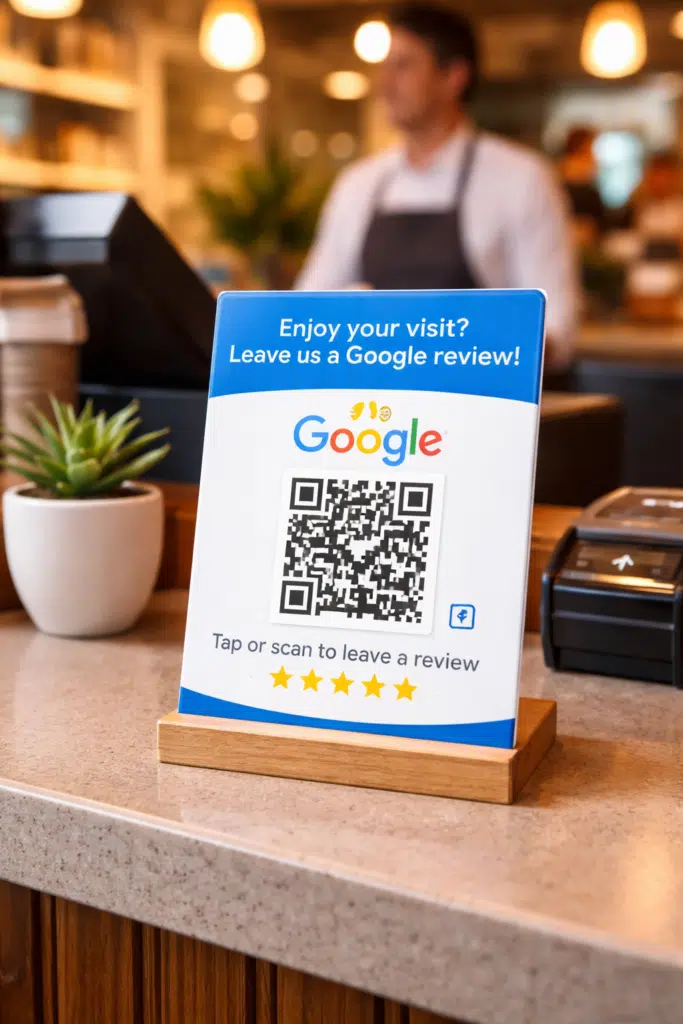
A Google Review Tap Card is a physical card embedded with NFC (Near Field Communication) technology or a QR code that allows customers to leave a Google review instantly with a simple tap or scan.
Instead of asking customers to:
- Search your business on Google
- Find your profile
- Click “Write a Review”
…a Tap Card removes all friction by taking them directly to your review page in seconds.
One tap = instant review access
Why Google Review Tap Cards Are Important
1. Removes Friction from the Review Process
The biggest barrier to getting reviews is effort. Tap Cards eliminate multiple steps and make it incredibly easy for customers to leave feedback.
2. Increases Review Volume
The easier it is, the more people will do it. Businesses using Tap Cards often see a significant increase in review rates.
3. Boosts Local SEO Rankings
Google reviews are a major ranking factor for local SEO. More reviews + better ratings = higher visibility in Google Maps and search results.
4. Improves Conversion Rates
Customers trust businesses with strong reviews. A higher review count builds credibility and directly impacts sales.
5. Captures Reviews at the Perfect Moment
You can ask for a review right after a positive experience, when customer satisfaction is at its peak.
How to Use a Google Review Tap Card
Using a Tap Card is simple, but using it strategically is what makes the difference.
Step 1: Set Up Your Review Link
Create a direct Google review link for your business.
Step 2: Embed It into a Tap Card
This can be done via:
- NFC-enabled cards
- QR code cards
- Smart review devices
Step 3: Present It at the Right Moment
Timing is everything. The best times to ask:
- After a successful purchase
- At checkout
- After service completion
- When the customer expresses satisfaction
Step 4: Guide the Customer
A simple prompt works best:
“If you enjoyed your experience, just tap this card to leave us a quick Google review.”
Where Can You Use Tap Cards?
Google Review Tap Cards are extremely versatile and can be used across multiple industries:
Retail Stores
Place them near checkout counters.
Restaurants & Cafes
Add them to tables, receipts, or bill folders.
Hotels & Hospitality
Use them at reception desks or inside rooms.
Clinics & Healthcare
Place them at the front desk after appointments.
Salons & Barbershops
Perfect after a haircut or service.
Events & Exhibitions
Capture reviews instantly during engagement.
How Reviewance Turns Tap Cards into Smart Growth Tools
This is where things get powerful.
With Reviewance Smart Codes, you don’t just collect reviews—you optimize, track, and scale them.
What Are Reviewance Smart Codes?
Reviewance Smart Codes are dynamic, trackable review links that can be embedded into:
- NFC Tap Cards
- QR codes
- Printed materials
- Digital touchpoints
Turning a Tap Card into a Smart Review Machine
Here’s how Reviewance upgrades a basic Tap Card:
1. Dynamic Routing
Instead of sending every user to the same link, Smart Codes can:
- Direct happy customers to Google Reviews
- Redirect unhappy customers to private feedback forms
👉 This helps protect your rating while still collecting valuable insights.
2. Performance Tracking
Unlike static QR codes, Reviewance lets you track:
- Number of taps/scans
- Conversion rates
- Review generation performance
3. Multi-Channel Flexibility
One Smart Code can be used across:
- Physical Tap Cards
- Stickers
- Emails
- SMS campaigns
4. Easy Updates (No Reprinting Needed)
Need to change your review link or strategy?
With Reviewance:
- Update once
- All Tap Cards instantly reflect the change
How to Set Up a Reviewance Tap Card (Step-by-Step)
Step 1: Create a Smart Code in Reviewance
Generate your unique review link inside the platform.
Step 2: Customize Your Flow
Decide:
- Where satisfied users go (Google Reviews)
- Where neutral/negative users go (feedback form)
Step 3: Start Collecting Reviews
Place the card in high-interaction areas and start asking customers. That's all.
Best Practices for Maximum Results
- Keep your ask simple and natural
- Train staff to request reviews at the right moment
- Use clear call-to-action text on the card
- Test different placements (counter, table, exit point)
- Combine with incentives (where allowed by policy)
Turn Every Customer Interaction into a Review Opportunity
Google Review Tap Cards are one of the simplest yet most effective tools to increase customer reviews and improve your local SEO performance.
But when combined with Reviewance Smart Codes, they become much more than just a shortcut—they turn into a data-driven review generation system that helps you:
- Get more reviews
- Protect your rating
- Understand your customers
- Scale your reputation
If you’re serious about growing your online presence, implementing a smart Tap Card strategy is no longer optional—it’s a competitive advantage.